

3×3 Shell Scheme Corner Booth Mockup – Hardwall Trade Show Design Presentation
Showcase your corner booth trade show design with clarity and realism using this 3×3 Shell Scheme Booth Mockup.
Designed for professional presentations, this mockup helps you visualize how your artwork appears in a real exhibition environment — perfect for client pitches, proposals, and portfolios.
This corner booth layout offers two open sides, allowing your branding and messaging to be visible from multiple aisle directions, making it ideal for high-traffic trade show locations.

Designed for Easy Editing
All layers are clearly named, grouped, and well-organized, making it easy to update graphics, colors, lighting, and floor elements without digging through complicated layer stacks.
Simply replace the artwork with your own design and adjust as needed — no guesswork required.


How the Action Workflow Works (Simple & Fast)
This mockup uses an Action-based rendering system, not traditional Smart Object pasting.
Your entire design goes into one single starter template, and the Action automatically builds the final mockup for you.
Workflow
1. Run the “Starter Template” Action
– Generates the correctly scaled layout at 1:10 size, matching real-world proportions.
2. Place Your Full Artwork (All Panels)
– Everything goes into one file, one layout.
-No searching through multiple Smart Objects or layer groups.
3. Run the “Render 3D” Action
– Instantly produces the final mockup view with accurate proportions, lighting, and seamless fabric-style tension.
Why Use Actions Instead of Smart Object Layers?
Traditional Smart Object mockups require you to paste artwork one panel at a time — fascia, side panels, back panel, table front, table sides, platform, and more.
That workflow works for simple products, but it quickly becomes inefficient for multi-surface designs such as exhibition booths, table covers, or shell schemes.
Action-based mockups let you:
-
Load your artwork once
-
Click Play
-
Get perfectly aligned graphics across all surfaces
The result is a faster, cleaner workflow with consistent alignment — especially important for complex products like trade show booths and large-format displays.
What This Mockup Is Ideal For
-
Trade show and exhibition corner booth concepts
-
Designers preparing client proposals or tender submissions
-
Marketing teams visualizing booth branding before print
-
Showcasing shell scheme graphics in a professional layout
-
Portfolio displays and case studies
Why Choose a Corner Booth Mockup
Corner booths are popular because they:
-
Offer better visibility from two directions
-
Attract higher foot traffic
-
Allow more flexible graphic placement
-
Feel more open and inviting than inline booths
This mockup is created to display your design from a natural, human eye-level perspective, ensuring realistic scale and proportion.
Highlights
-
3×3 shell scheme corner booth layout
-
Realistic trade show environment rendering
-
Fully organized, editable PSD layers
-
Clean presentation for design reviews and approvals
-
Ideal for branding, graphic panels, and booth concepts
** ENGLISH Version Adobe Photoshop CS3, CS4, CS5, CS6 , CC up to Photoshop 2026 pre-installed on Microsoft Windows OR Apple MacOS.
Don't have Photoshop? -Get Your 7-Day Free Trial HERE
*** Member Downloads Area ***
Please login or register before start downloading.
These files are accessible for:
New member use below download link:

**These files are accessible only upon purchase of this products.
( Members must be logged in )
Become A Member
–SINGLE MOCKUP PURCHASE–

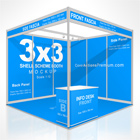
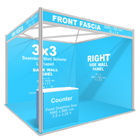
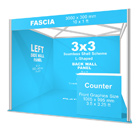
Related Exhibition Booth Mockups:
 |
 |
 |
 |
 |
 |
 |
 |
 |
 |
 |
 |
 |
 |
 |
Related Posts
 8 ft Fitted Table Cover Mockup – 3-Sided
 8 ft Fitted Table Cover Mockup – 4-Sided
 3×3 m Seamless Shell Scheme Booth Mockup – V3 (Corner L-Shaped)
 5×3 Shell Scheme Booth Mockup – V1 (Corner Layout)
 3×3 Seamless Shell Scheme Corner Booth Mockup – Trade Show Design Presentation
 6 ft Open Corner Fitted Table Cover Mockup – Closed Back (4-Sided)
 6 ft Open Corner Table Cover Mockup – Open Back
 6 ft Fitted Table Cover Mockup – 3-Sided (Open Back)
 Zipper Back Fitted Table Cover Mockup – 6 ft (4-Sided)